 DayZ Companion
 DayZ Companion tool
Code Lock in DayZ Companion
Enter a combination you already know for your lock with an assigned hotkey.
Set it up for a combination you regularly enter.
Features
Saves your combination
Save a known numeric code of 1 to 6 digits.
Types the saved digits
Open the code entry field for your own lock in DayZ. Press the assigned hotkey to enter the saved digits followed by Enter.
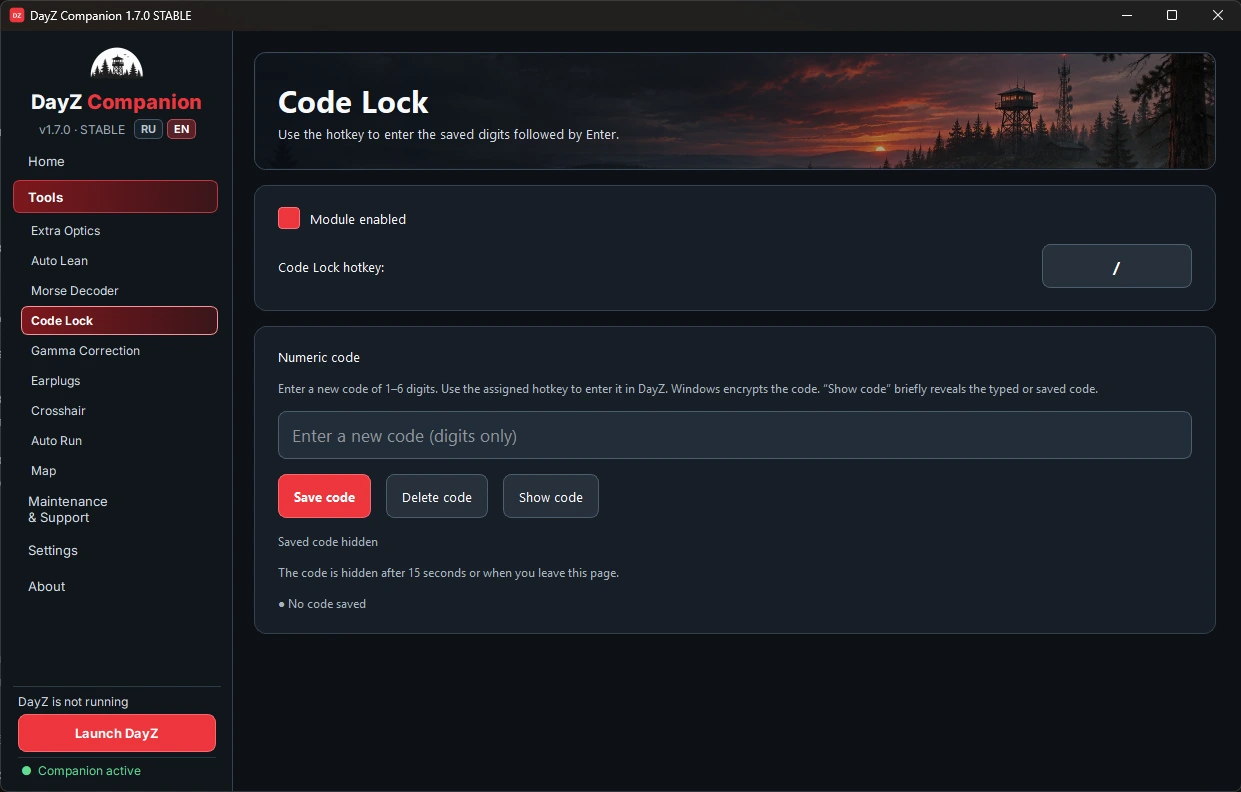
Companion interface
Open the screenshot to take a closer look at the interface.
How to set up Code Lock
Save your code
Open Code Lock and enter your combination.
Assign a hotkey
Choose a shortcut that is free in the DayZ interface.
Check the entry
Open the input field for your lock and press the hotkey.
Frequently asked questions
How is the saved code protected?
The code is stored locally and protected by Windows DPAPI. You can briefly reveal it in the settings; it hides again after 15 seconds or when you leave the page.
How does the tool work?
With the lock’s code field open, Companion types your saved digits and automatically presses Enter.
What if the wrong code appears?
Check your saved digits and make sure the code field has focus. Check the server rules.
What happens if I switch away during code entry?
Automatic entry stops when DayZ loses focus.


Download DayZ Companion
Find the current build and first-run instructions on the download page.