 DayZ Companion
 DayZ Companion tool
Morse · Nasdara
Decode Nasdara’s digital radio transmissions and view the coordinates and code over the game.
Companion listens to audio from the DayZ process and shows the decoded result.
What the decoder does
Recognises a digital signal
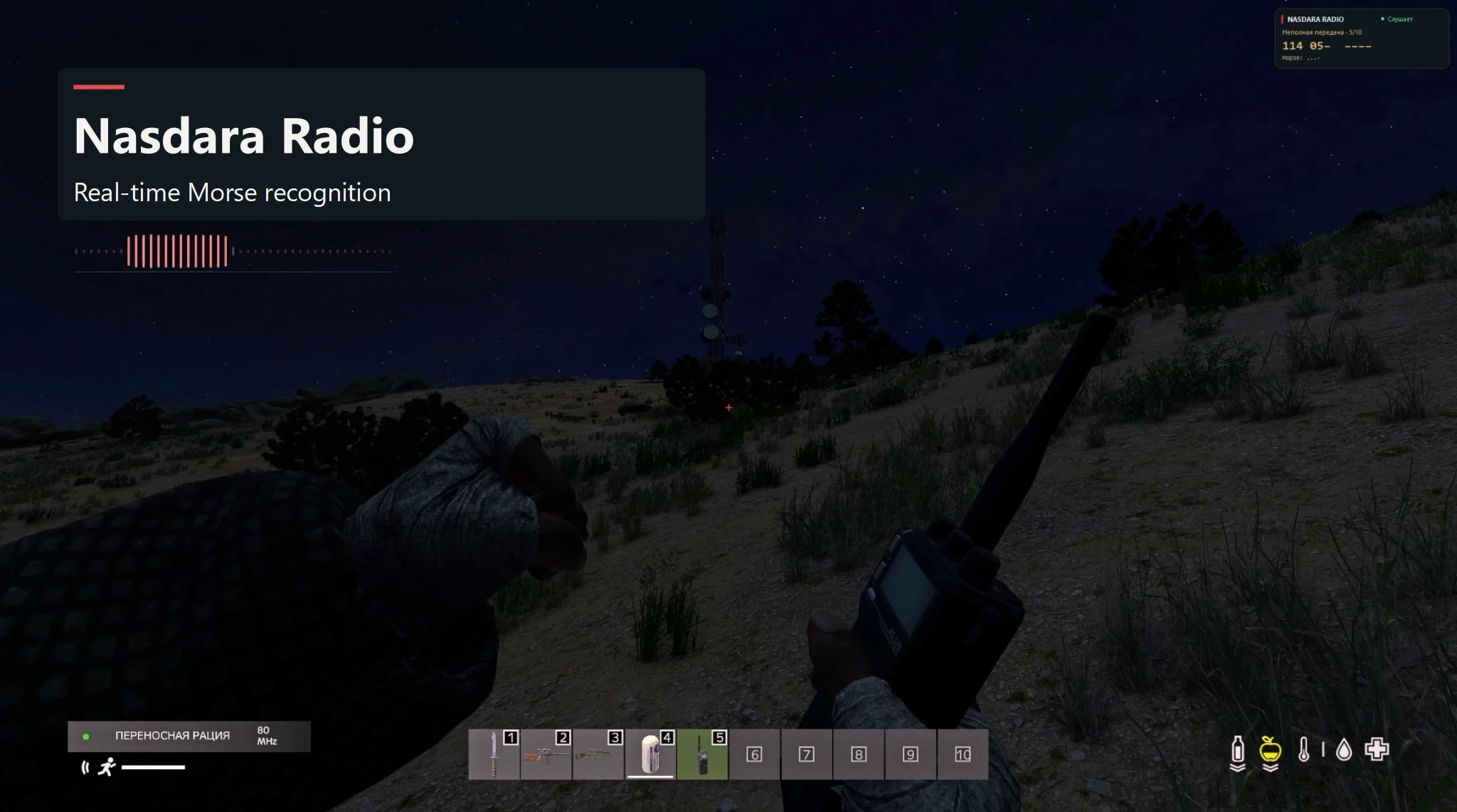
The decoder identifies short and long Nasdara radio tones and assembles the coordinates and PIN.
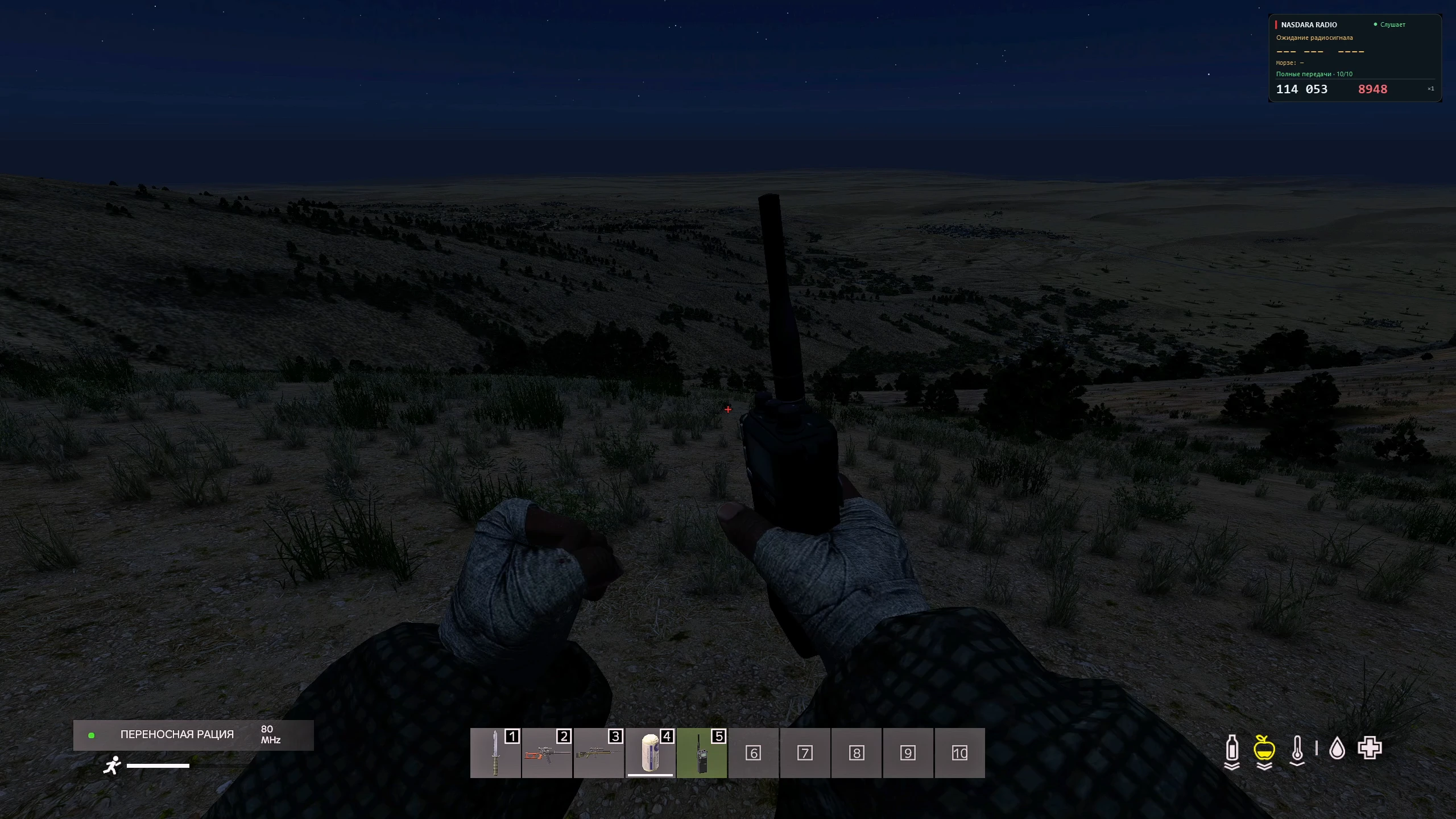
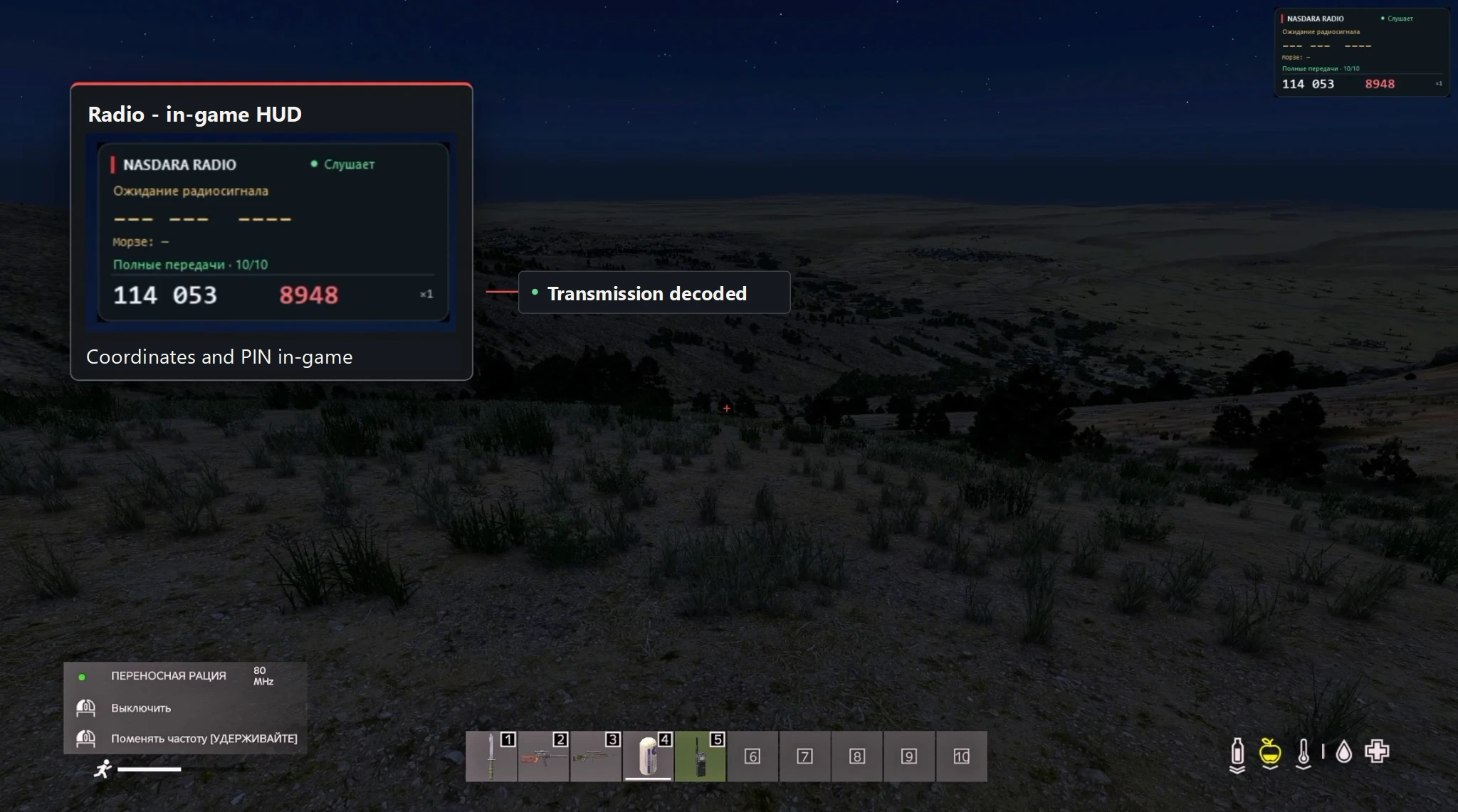
Shows results in-game
The HUD appears automatically when listening starts while DayZ is focused.
Keeps a transmission history
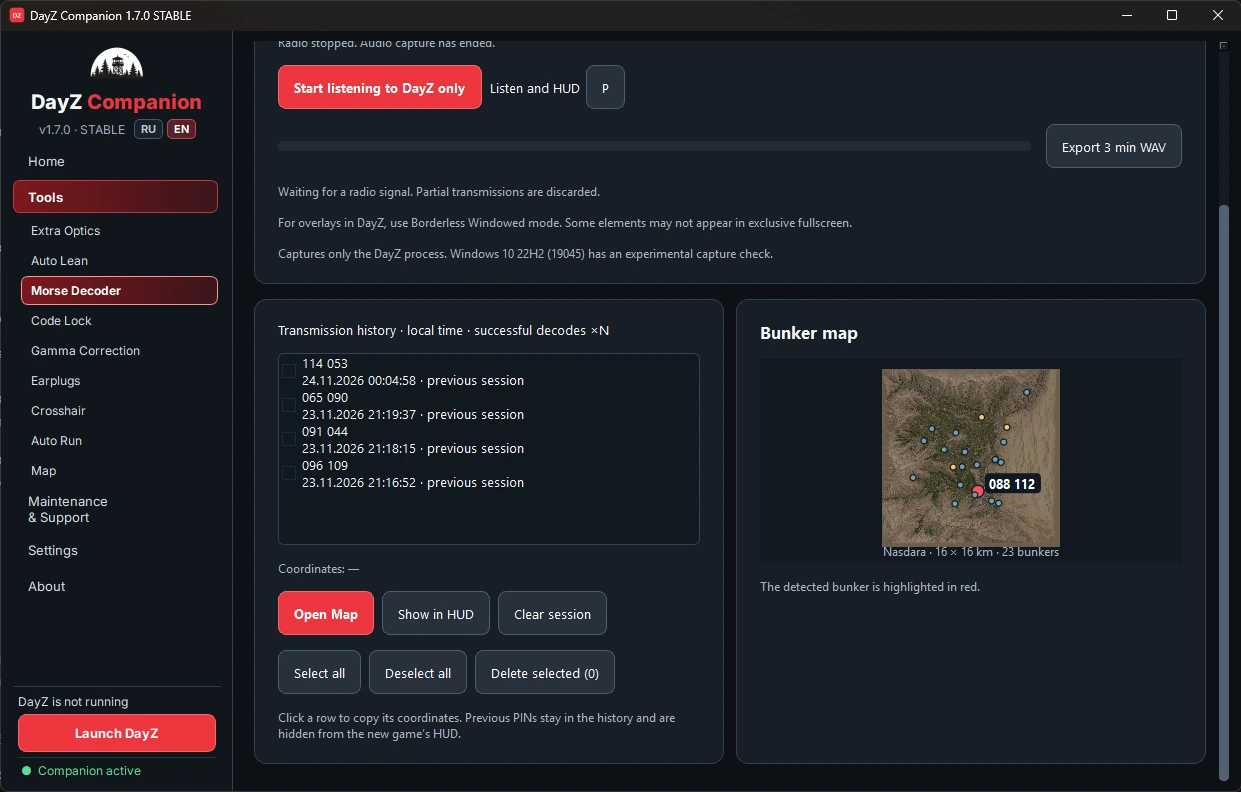
Complete transmissions are saved between launches. Selected records can be deleted.
Helps locate bunkers
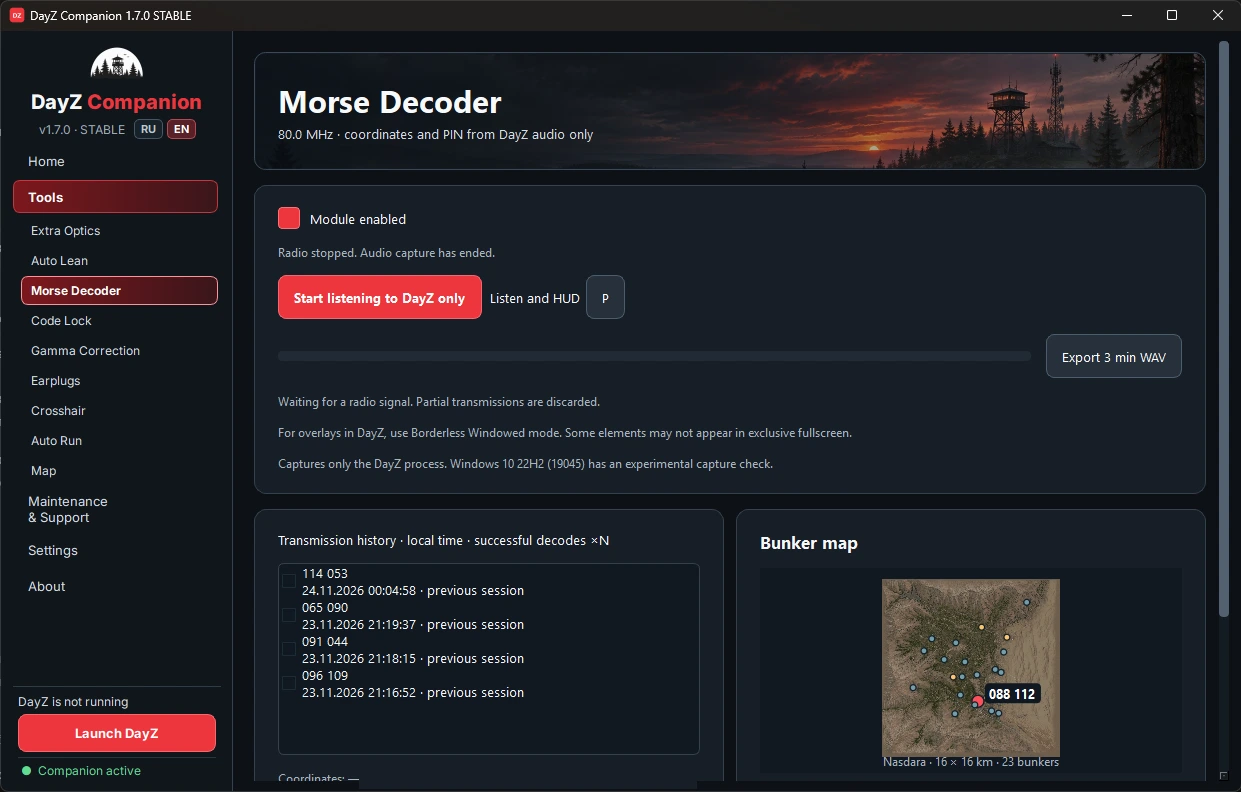
Known bunkers are highlighted on the built-in map. Double-click a history entry to copy its coordinates.
Interface and HUD
Open a screenshot to see the decoder controls or HUD output in more detail.
How to receive a transmission
Prepare the game
Start DayZ, join a Nasdara server and tune the in-game radio to 80.0 MHz.
Start listening
Open the Morse Decoder in Companion. Start listening with the button or assigned hotkey.
Check the result
Wait for the transmission to finish. Read the coordinates and code in the app or HUD.
How the decoder works
DayZ audio → signal recognition → coordinates and code.
Audio source
Windows WASAPI captures audio from the selected process. Decoding uses neither microphone input nor the mixed system audio.
Signal processing
The decoder identifies short and long tones locally. A complete digital transmission contains six coordinate digits and a four-digit code.
Requirements
DayZ must be running and audio capture must be supported: Windows build 20348 or later. On Windows 10 22H2 (19045), compatibility is checked when listening starts. Signal clarity affects the result.
Frequently asked questions
What if the decoder is not receiving a signal?
Check that Companion can see the DayZ process, listening is active and the in-game radio is tuned to 80.0 MHz. Look at the status in the decoder.
Where can I find an earlier transmission?
Open the log in Companion. It keeps complete decoded transmissions.
Which map can I use with the coordinates?
Known bunkers are highlighted on the map in the Morse tool. Double-click a history entry to copy coordinates for searching the interactive XAM map. More about maps.
Can I save a radio recording?
Yes. You can export up to the last three minutes of captured DayZ audio as a WAV file.


The decoder is included in DayZ Companion
Find the current build and first-run instructions on the download page.