 DayZ Companion
 DayZ Companion tool
XAM Maps for DayZ
Open interactive maps maintained by the XAM project.
Choose the world for your server and use the available landmarks.
Features
Opens the XAM service
The independent XAM project supplies the maps and their content. Open the original XAM site.
Helps with navigation
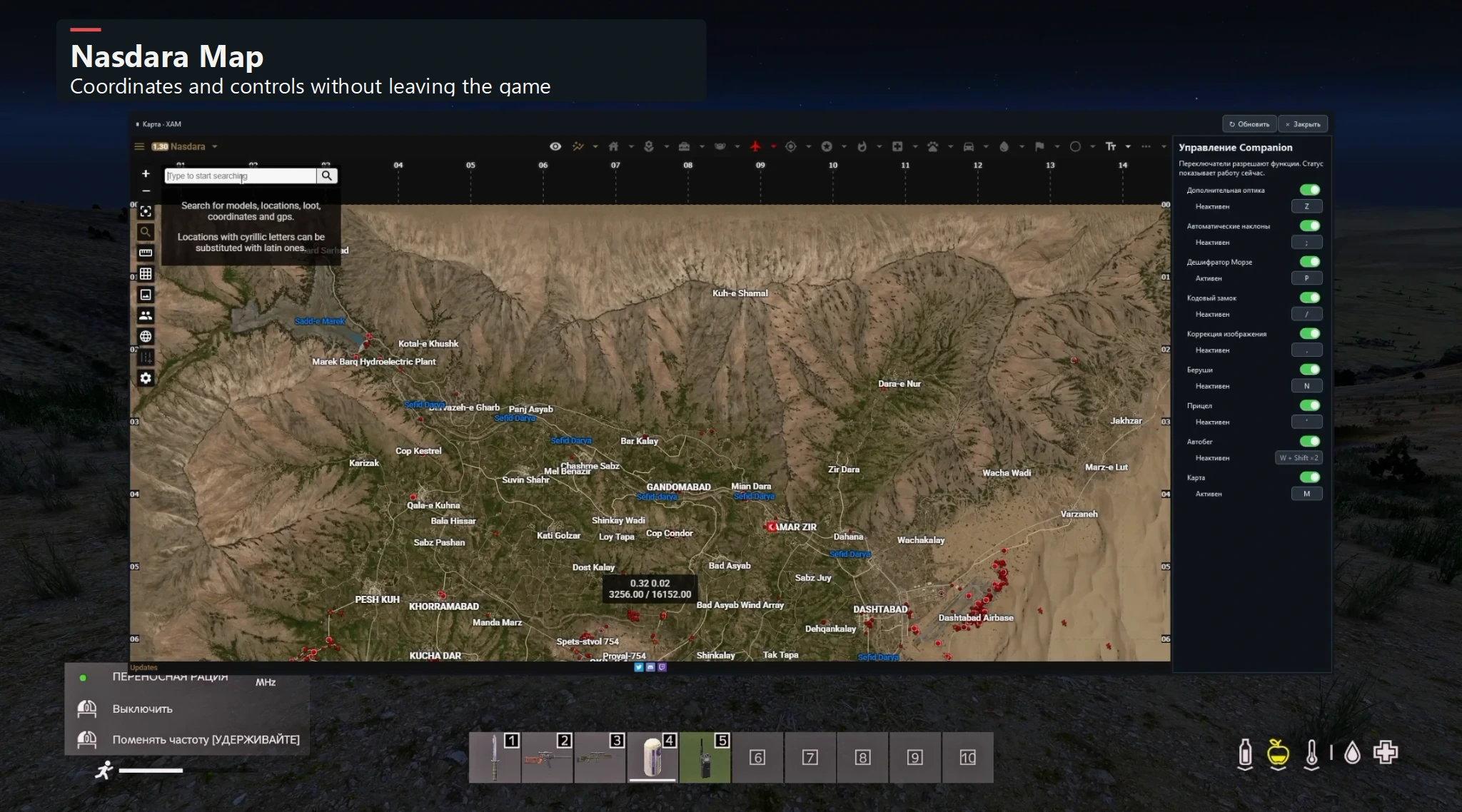
XAM offers Chernarus, Livonia, Sakhal and Nasdara maps. Choose the world your server uses.
Companion controls next to the map
The side panel lets you manage tools without returning to the main app window.
Companion interface
Open the screenshot to take a closer look at the interface.
How to open a map
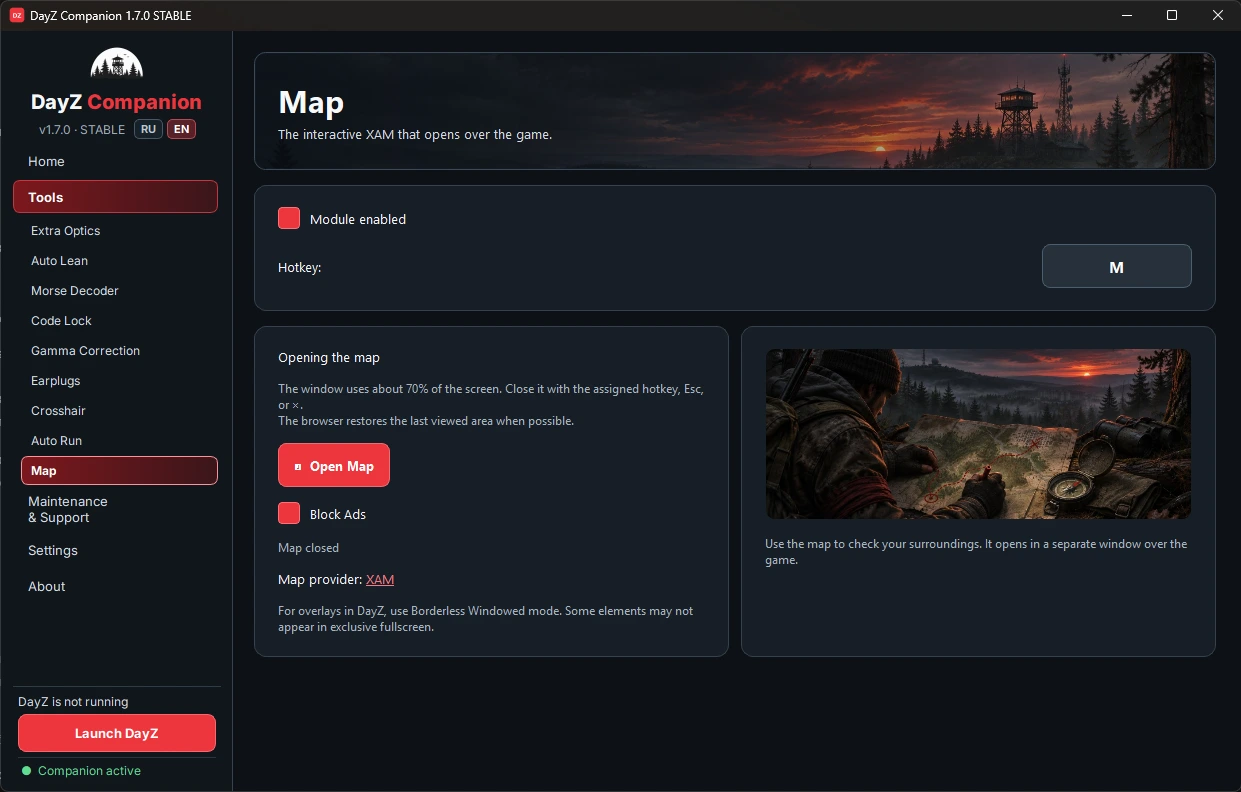
Open the map
While playing, press the default M hotkey if you have not changed it.
Choose a map
Select the world you are playing on.
Adjust the display
Filter the markers and landmarks you need.
Nasdara bunker map
The Morse decoder has a separate built-in map of 23 Nasdara bunkers. Known bunkers are highlighted automatically using received coordinates. This is distinct from the interactive XAM map.
Frequently asked questions
How does the map appear over the game?
A separate window with an embedded browser displays the XAM map alongside the Companion controls.
How do I find a bunker?
Double-click a Morse history entry to copy its coordinates and use the interactive XAM map search. The built-in bunker map in the Morse tool highlights known bunkers automatically.
Can I open a map without running the game?
Yes, open the map from DayZ Companion.
Who maintains XAM DayZ Map?
The XAM project maintains the service. Visit the original site. Internet access is required.
How do I close the map?
Press the assigned hotkey (M by default), Esc or the window’s close button.


Download DayZ Companion
Find the current build and first-run instructions on the download page.